


Mega menus built with blocks. Edited right in your header.
XT Mega Menu adds a Mega Menu item to the WordPress Navigation block. Select it in the Site Editor and its panel opens inside your header at its real width, so you edit what visitors will see. It takes your theme’s colours, fonts and spacing, dark mode included, and classic themes are covered too.
Full mega menus, in the free version.



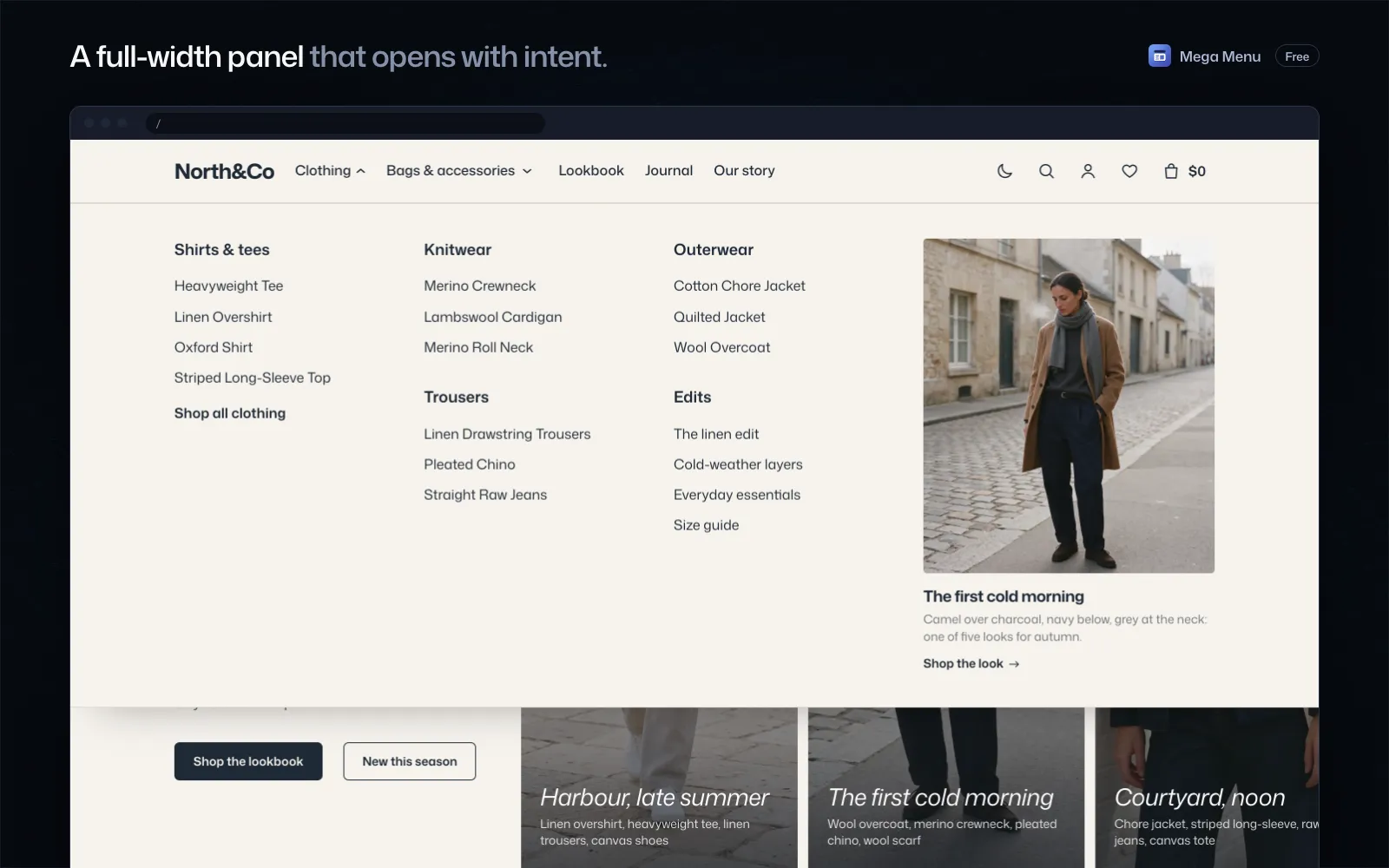
A full-width panel that opens with intent
Link columns with headings, and a feature column with a photo. A short delay on hover means passing over the menu does nothing; moving to the next item switches at once.
A safe triangle
Moving diagonally into a panel never switches to the item the pointer passes over.
Every panel works from the keyboard
Enter opens a panel, arrow keys move through its links, Escape closes it and returns focus.
A menu that works on phones
In the phone menu, panels expand in place or slide in with a Back button, and their columns become a list.


Live categories
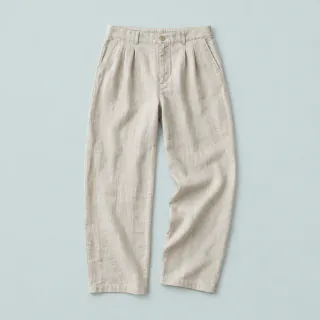
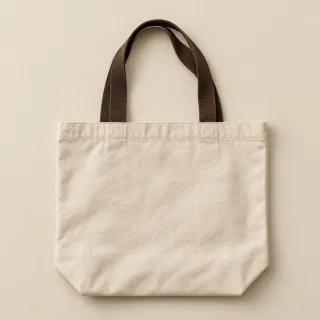
A panel column that fills itself from your product categories, with photos and counts. Products and latest posts too.
Built in your header, at its real width.
Select the Mega Menu item in the Site Editor and its panel opens in place, inside your header. Build it with any blocks: link columns with headings, icons and descriptions, and live blocks that stay up to date on their own. There is no separate template part and no modal grid.
- Full, wide, content or custom width, lined up with your header
- Ten ready-made panels and a start screen built from your categories
- Turn any submenu into a mega menu, and back
- Export a panel design and import it into another item or site
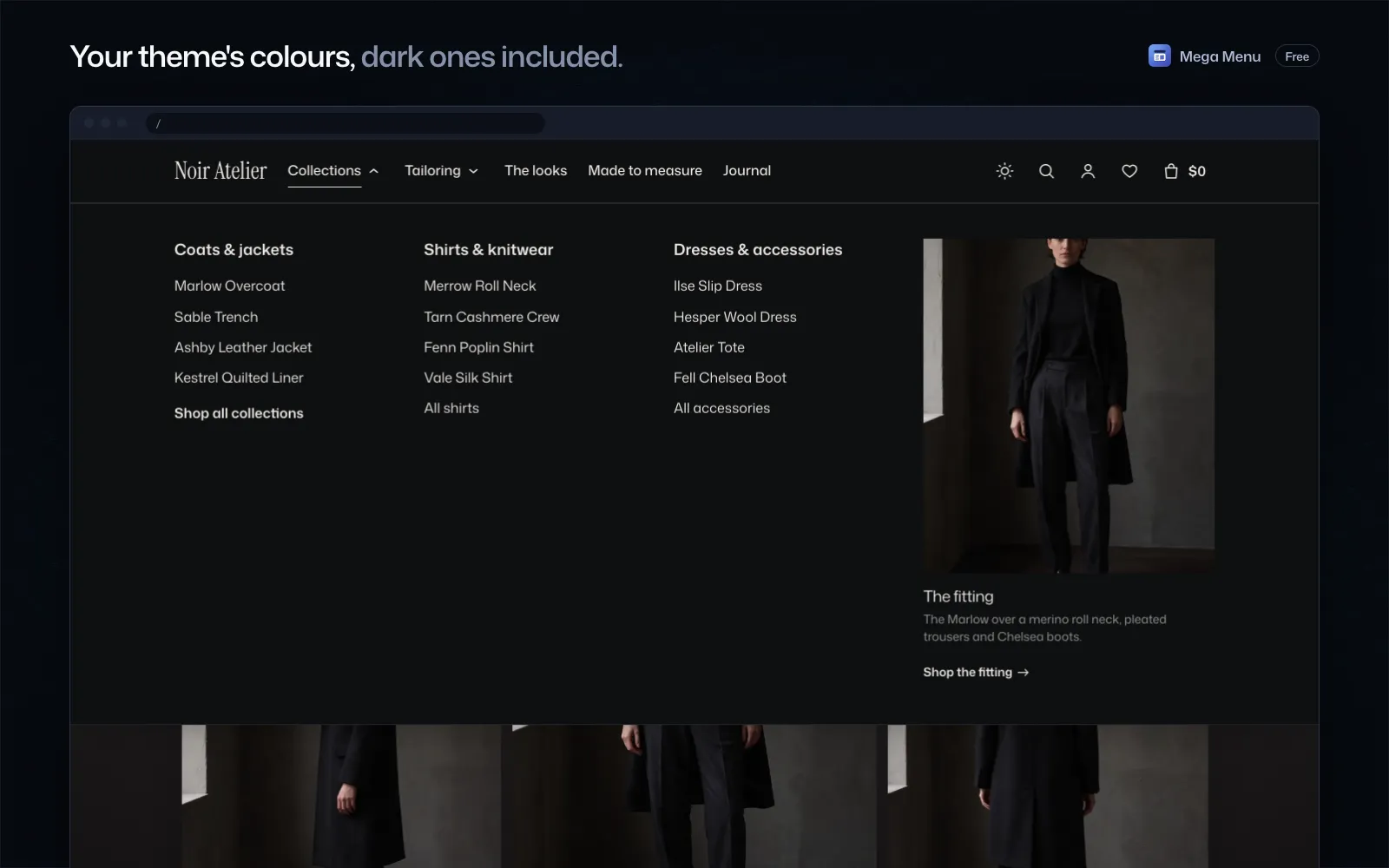
Your theme’s colours, dark ones included.
Panels take their colours, fonts and spacing from your theme, so a dark theme gets a dark panel. The menu bar and its dropdowns are styled from your theme’s colour presets too, so dark mode follows.
- Text, hover and background colours, size, weight and spacing
- An underline, colour or pill hover on menu items
- One settings screen with a live preview of your site
- At most 10 KB per page, loaded only where a menu renders
Free is a full mega menu. Pro adds richer panels.
Free
Full mega menus for block and classic themes.
- A Mega Menu item inside the Navigation block, edited in place
- Panels built with any blocks: link columns, headings, icons, descriptions
- Live product categories, category children, products and latest posts
- Ten ready-made panels and a start screen built from your categories
- Full, wide, content or custom width, lined up with your header
- Hover with intent, a safe triangle, click or tap
- Full keyboard support: Enter, Escape, arrows, Home and End
- Accordion or sliding panels in the phone menu, and a phone drawer
- Show or hide any item, column or block by device
- Classic menus: mega panels in Appearance, Menus, and whole locations drawn by XT
- Menu bar and dropdown styling from your theme’s colours
- One settings screen with a live preview of your site
- Shortcode, PHP function, widget, Elementor, Bricks and Breakdance
- Under 10 KB per page, RTL, high-contrast mode, WPML and Polylang strings
Pro
Richer panels, a sticky header and a phone menu of your own.
Everything in Free, plus:
- Tabbed panels with tabs on the left, the right or on top
- Badges on links and items, and automatic Sale and New badges
- Image preview on hover and link thumbnails
- Sticky header: stays, shrinks, or hides on scroll down
- A More dropdown for items that don’t fit the bar
- Phone menu designer: a drawer, bottom sheet or full screen built with blocks
- Cart, account and sign-in, and live product search items
- Product and category carousels
- Visibility rules by role, sign-in, dates, cart contents and language
- Vertical menus, a department button and accordion menus
- Lazy panels that keep their links for search engines
- Menu analytics: opens, clicks and revenue, plus GA4 events
- 30 more panel designs and extra icon sets, including Font Awesome Free
Pro: tabbed panels that show what they hold.
Categories on one side, their panel beside them, switching on hover with the safe triangle or on click. Badges mark what’s new or on sale, and the panel’s picture changes to the category or link the shopper points at.
- Tabs on the left, the right or on top
- Automatic Sale and New badges on product categories
- Sticky header: stays on top, shrinks, or hides going down and returns going up
- Menu analytics: panel opens, clicks and revenue from products clicked in the menu





Works with your theme, and the builders you already use.
- Themes
- Block themes Classic themes
- Page builders
- Block editor Elementor Bricks Breakdance
- Languages
- WPML Polylang RTL
- Store
- WooCommerce (optional)
- Analytics (Pro)
- GA4 events
Six screens, on a real store.
-
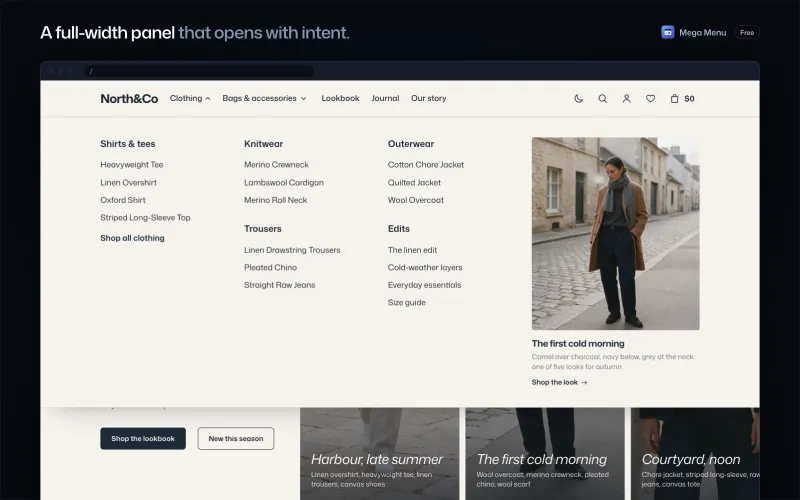
1A full-width panel under Clothing: link columns with headings and a feature column, opened on hover with a short delay. -
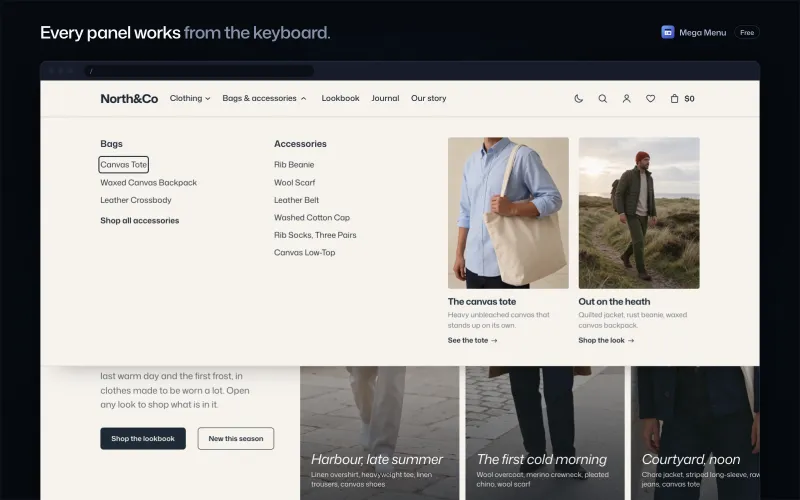
2Keyboard: Enter opens a panel, the arrow keys move through its links, and Escape closes it and returns focus. -
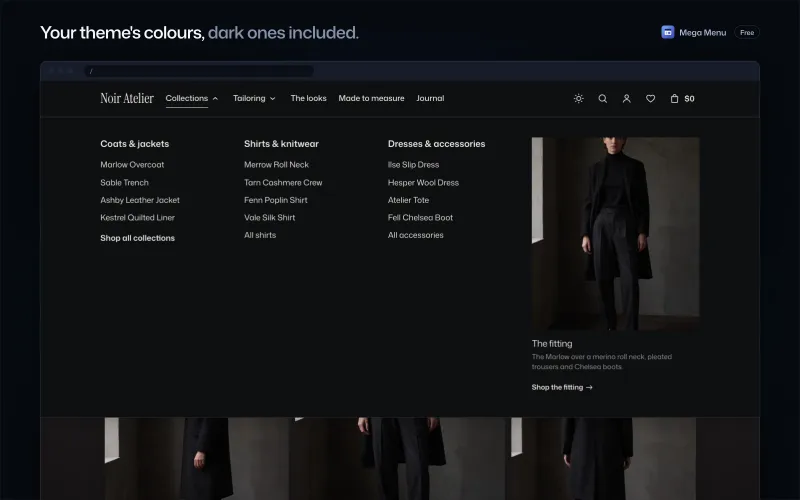
3Panels take their colours, fonts and spacing from your theme, so a dark theme gets a dark panel. -
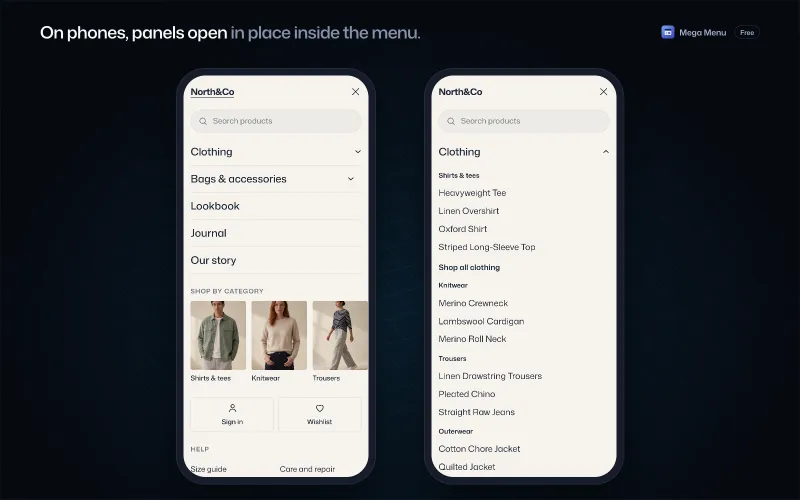
4On phones each mega item opens in place inside the menu, with its columns as a list. -
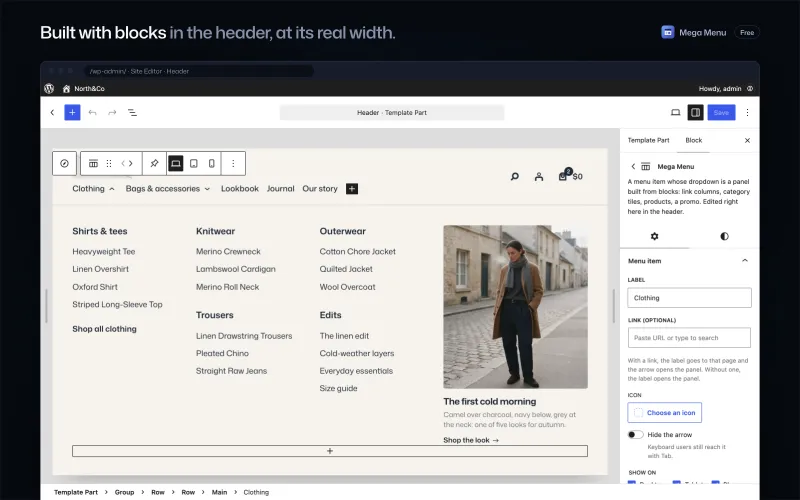
5In the Site Editor, select the Mega Menu item and its panel opens inside your header, built with blocks at its real width. -
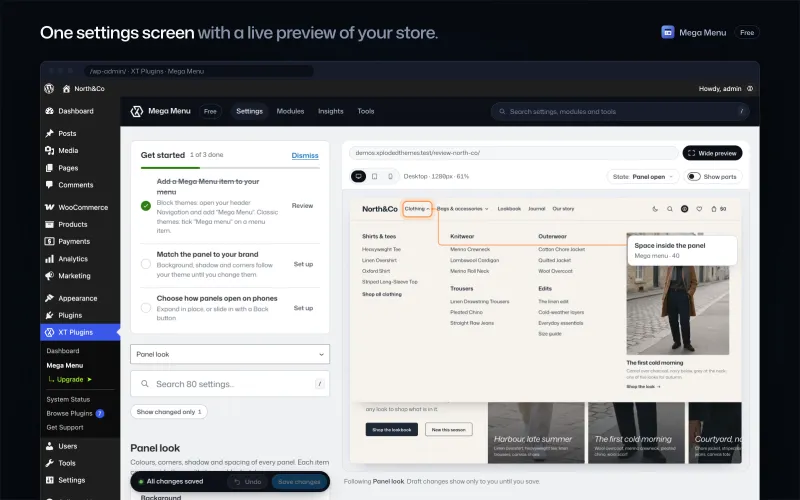
6One settings screen with a setup checklist, search and a live preview of your own store with a panel open.
Questions
Something not covered here? Ask the team that builds it; pre-sale questions are welcome.
Ask a questionDoes it work with my theme?
Yes, with any block theme that uses the Navigation block, and with classic themes through Appearance, Menus. On a classic theme XT can draw a whole menu location (bar, dropdowns and phone drawer), so the theme’s own menu styles don’t matter.
Do I need WooCommerce?
No. Menus, panels, links and posts work on any site, and without WooCommerce the Categories block lists your post categories. The Products block and the Pro store items need WooCommerce.
Will my old mega menus (1.x) keep working?
Yes. Block names, attributes and the markup classes are unchanged; 2.0 adds settings around them.
Can I style it from my theme?
Yes. Every panel reads custom properties you can set on any parent, such as --xt-mega-menu-background, --xt-mega-menu-text and --xt-mega-menu-accent, and Global Styles for the Mega Menu block style the panel.
Does it slow my site down?
The script and styles load only where a menu renders, at most 10 KB compressed. Live blocks are cached and refreshed whenever a product, post or category changes.
Is caching a problem?
Not for the free features. Pro visibility rules for roles, sign-in and the cart need a page cache that varies by visitor; device rules are pure CSS.
What does Pro add?
Tabbed panels, badges, image preview on hover, a sticky header, a More dropdown, a phone menu designer, store items, visibility rules, vertical and accordion menus, lazy panels, menu analytics, 30 more designs and icon libraries. The free version is complete without it.
Kept current, release after release.
Every number here is read live from the release feed, so this sheet is never older than the plugin.
- Tested up to
- WordPress 7.1
- Requires
- WordPress 6.6+
- PHP
- 7.4+
- First released
- Nov 2026
Pick a license. Change it any time.
Every Pro plan starts with a free trial, and every purchase has a 30-day money-back guarantee.
Free
$0on WordPress.org soon
Full mega menus for block and classic themes.
- A Mega Menu item edited in place
- Live categories, products and posts
- Keyboard support and a phone menu
- Classic menus and whole locations
Coming soon to WordPress.org. It’s in review now.
Pro
Richer panels, a sticky header and a phone menu of your own.
Black Friday + Cyber Monday Sale 40% off every license until December 1, applied at checkout.
Save 45% vs. monthly
Updates and support while your subscription is active.
A year of updates and support. If you don’t renew, the plugin keeps working; you just stop receiving updates and support.
Need more than Mega Menu? Get it in a bundle.
Every bundle includes Mega Menu Pro. One license covers every plugin in it, on the same number of sites.

Growth
11 plugins
Ten plugins for a store that is growing its catalogue, plus Starter Sites.










Regular price $25Sale price $15/month
10 more plugins for $9.60 a month more than Mega Menu Pro alone.
Billed monthly.
Regular price $179Sale price $107.40/year
10 more plugins for $72 a year more than Mega Menu Pro alone.
Save 40% vs. monthly. Billed yearly.

All Access
All 15 plugins, and every new one
Every XT plugin, and every plugin we release while you are a member.




Regular price $35Sale price $21/month
14 more plugins for $15.60 a month more than Mega Menu Pro alone.
Billed monthly.
Regular price $249Sale price $149.40/year
14 more plugins for $114 a year more than Mega Menu Pro alone.
Save 40% vs. monthly. Billed yearly.
Built with blocks. Edited in your header.
Questions before you buy? Ask the team that builds it.