



If you sell a WordPress plugin, theme, hosting plan or service, you’re probably deciding right about now what your Black Friday offer looks like and where you’ll tell people about it. This post is for you, and it’s also for anyone shopping for WordPress tools this November.
We’ve reopened our Black Friday and Cyber Monday roundup for 2026, and this year anyone can add their own deal. It takes a couple of minutes, there’s no fee, and you can keep your listing up to date yourself. Below I’ll walk through getting a deal on it, and further down there’s a bit for people hunting for discounts.
Why bother with a deals roundup at all
Black Friday is when a lot of people finally buy the plugin or hosting upgrade they’ve been putting off. Adobe’s numbers for last year show how much buying gets packed into a few days: US shoppers spent $44.2 billion online over Cyber Week 2025 (Thanksgiving through Cyber Monday), with $11.8 billion on Black Friday and a record $14.25 billion on Cyber Monday. Adobe also found that discounts peaked during that week and came down afterwards.
Those figures cover all of ecommerce, not just WordPress, but the pattern is familiar to anyone who sells software. People wait, then they compare. A shopper who wants a new forms plugin and a faster host doesn’t want to open twenty vendor sites to find out who’s running what. A roundup gives them one page to scan, and it gives a small maker a spot next to everyone else instead of hoping their own newsletter gets opened.
We ran this page in 2024 too, and it ended up with 93 deals. Last year’s list is still up at the 2024 Black Friday WordPress deals archive if you want to see what it looked like by the end of the week.
What’s on the 2026 roundup
The Black Friday and Cyber Monday 2026 WordPress deals page collects offers on WordPress plugins, themes, hosting and services as makers announce them. Black Friday is Friday, November 27 this year and Cyber Monday is November 30. There’s a countdown at the top so nobody has to work that out.
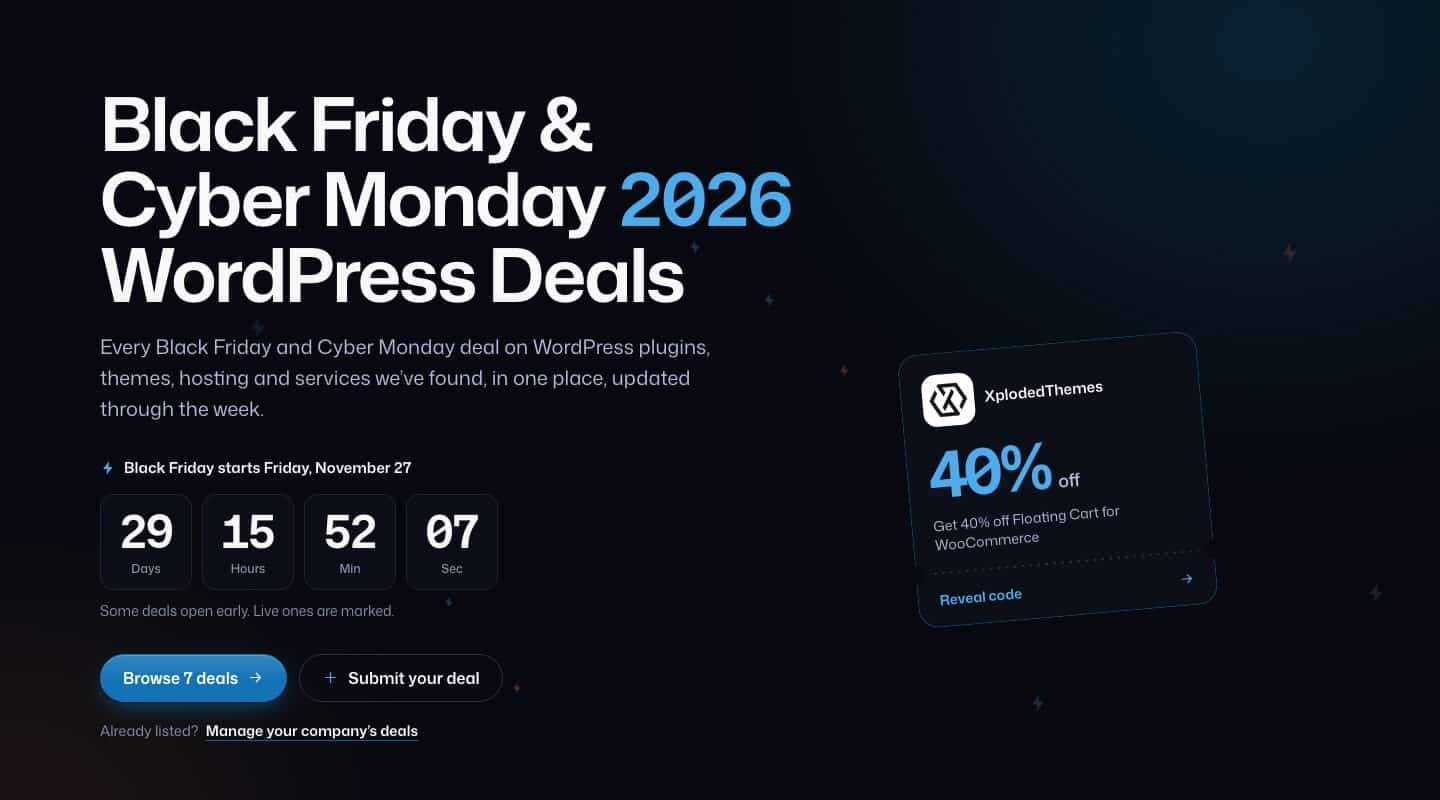
Every deal is a little ticket. Each one shows who it’s from, what’s discounted, how much, and the dates it runs. A deal that hasn’t started yet is marked Soon, and live ones are marked too, because plenty of makers open early and some run into the week after Cyber Monday. When a deal ends it stays on the page, which is handy if you’re trying to guess what someone will do next year.
Right now the page is mostly us. Our own sale is listed the same way everyone else’s will be: 40% off seven of our plugins, running November 23 to December 1. We’d much rather it be one row among dozens, which is the whole reason we opened it up.
How to add your deal (about two minutes)
Go to the Submit your Black Friday deal form. You don’t need an account. The form has four short steps, and as you fill it in, a preview on the right shows your ticket the way shoppers will see it.
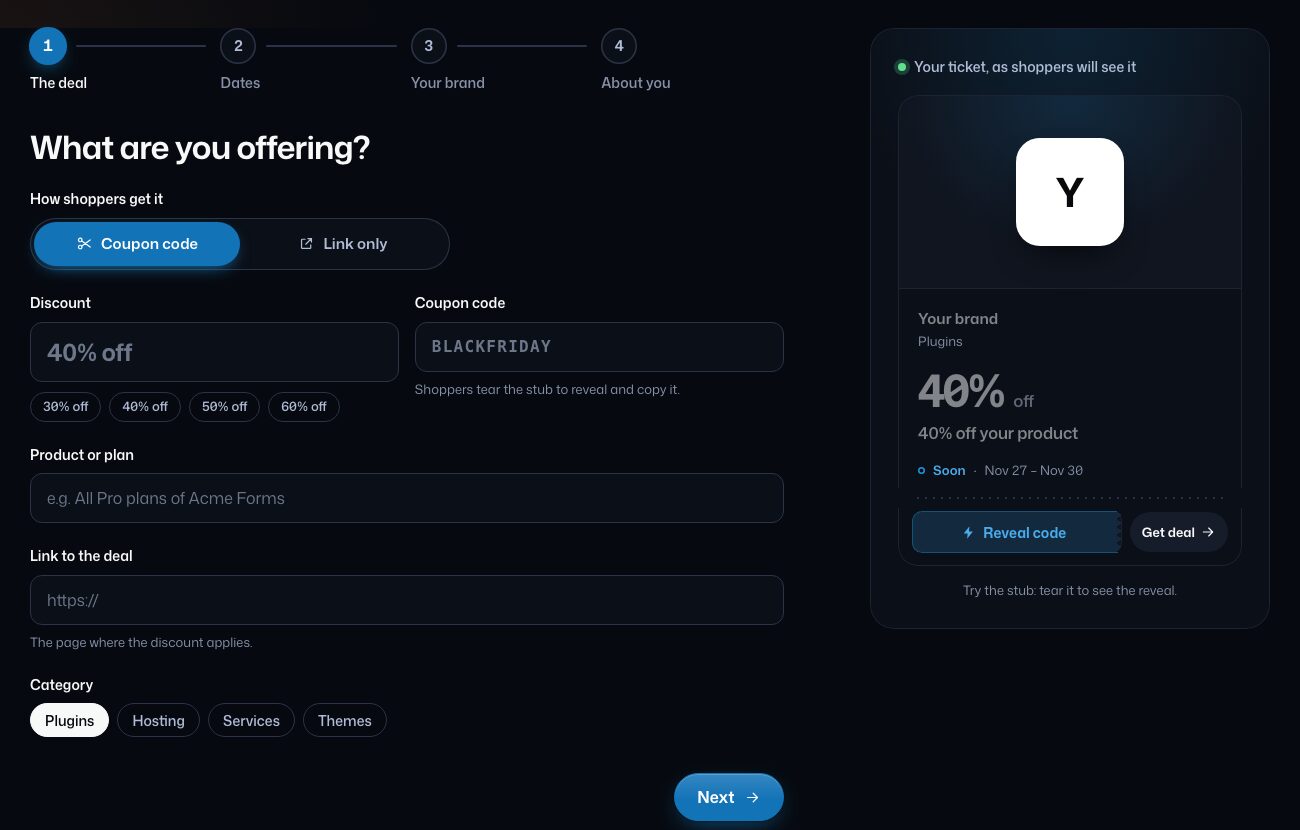
1. The deal
First, pick how shoppers get the discount. If they need a code, choose Coupon code and type it in; on the roundup, shoppers tear the ticket’s stub to reveal it and copy it. If the discount applies automatically on your page, choose Link only.
Then set the discount (there are quick buttons for 30, 40, 50 and 60% off, or type your own), name the product or plan it covers, paste the link to the page where the discount applies, and choose a category: Plugins, Hosting, Services or Themes.
Link to the page where the price changes, not your home page. If someone clicks through from a deals list and can’t find the offer in five seconds, they’re gone.
2. Dates
Choose when it runs. There are shortcuts for Black Friday to Cyber Monday, the whole week, or starting today, and you can set your own start and end days instead. Dates follow the site’s time zone: a deal starts at midnight and ends at the end of its last day.
3. Your brand
Add your company or brand name, your website and a logo. The logo should be square, 400 × 400 px, and a PNG with a transparent background looks best. You can also add a cover image (1200 × 675 px, 16:9) that runs across the top of your ticket, and a short line about the product, up to 600 characters. Both are optional, but a cover image makes your ticket a lot easier to spot in a long list.
4. About you
Last, your name and an email address so we can reply. There’s an optional field for your affiliate program and another for anything we should know. We only use these details to review your deal and to email you about it.
Then send it. We check every deal before it goes live, so it won’t appear the second you hit the button. If something’s off (a broken link, a code that doesn’t match the page), we’ll email you about it.
Managing your company’s deals
If you’ve got more than one offer, or you want to change a deal after it’s listed, use the Manage your deals page.
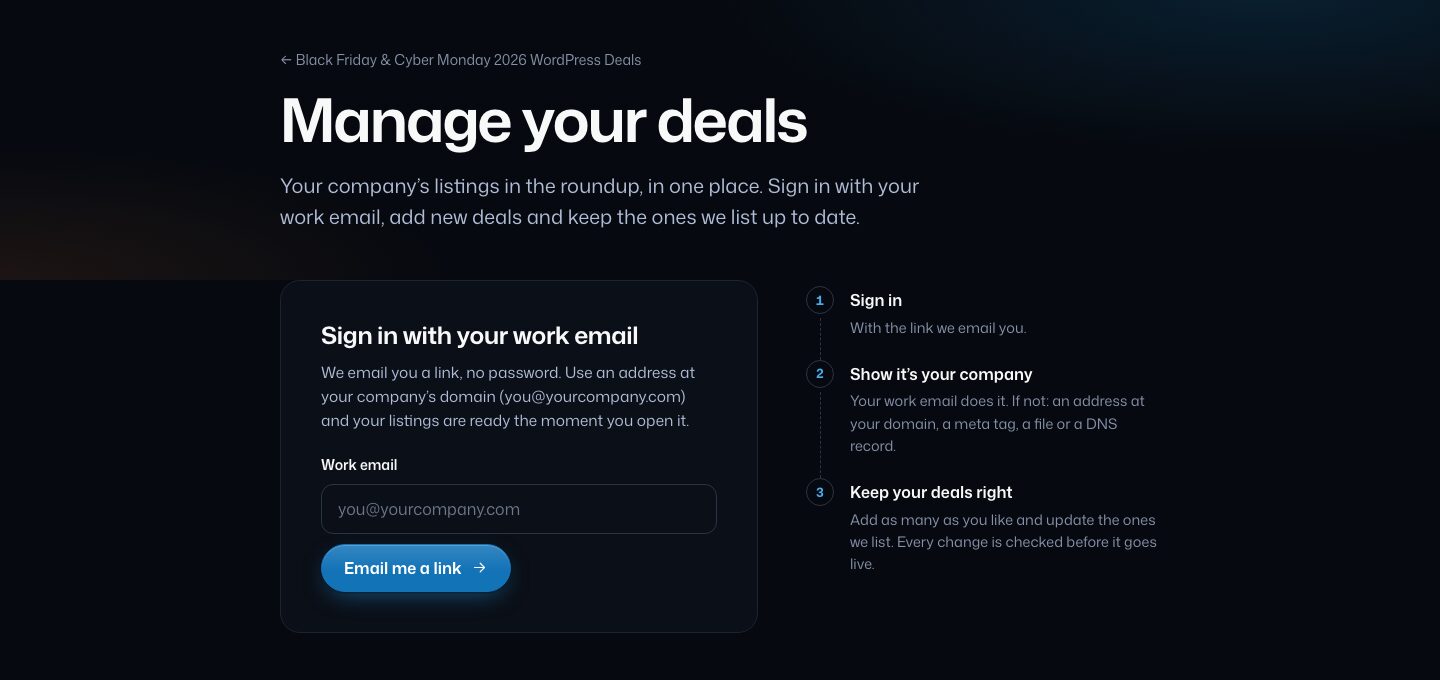
You sign in with a link we email you. There’s no password to set up. If you use an address at your company’s domain ([email protected]), that also shows the listing is yours and your deals are ready as soon as you open the link. If you can’t use an address at your domain, you can show the website is yours another way: an address at the domain, a meta tag, a file on your site, or a DNS record.
Once you’re in, you can add as many deals as you like and update the ones we already list. Say you extend your sale to Cyber Week, or you add a hosting deal on Tuesday. You change it there. Changes get checked before they show, same as new deals.
If your offer is already on the page because we found it ourselves, this is where you claim it and keep it right. It’s better for everyone if you own your listing instead of us guessing your dates from a tweet.
Getting your listing right
A deal is easier for us to approve, and easier for shoppers to click, when it gets these right:
- Send it early. Shoppers start bookmarking before the week itself, and a deal that’s already listed as Soon gets seen by people planning ahead.
- Make the code match. If the ticket says 40% off, the code should give 40% off on the page you linked, on the product you named.
- Name the product, not just the brand. “40% off all Pro plans of Acme Forms” tells a shopper far more than “Acme sale”.
- Use a clean square logo. A wide wordmark squeezed into a square gets tiny. Your icon or mark usually reads better.
- Keep the dates honest. If your offer runs past Cyber Monday, say so. If it ends early, say that too.
If you’re shopping instead
The page is just as useful if you’re on the buying side. Scroll the list or search for a vendor or product. Check each ticket’s dates before you plan anything, because Soon means it hasn’t started yet. When you find one you want, tap Reveal code to see and copy the coupon, then Get deal to go to the maker’s page and paste it at checkout. Link-only deals skip the code and take you straight there.
It helps to make a short list before the week starts so you’re not deciding at 11 pm on Cyber Monday. Also check whether a deal covers renewals or only the first year, since that’s on the maker’s page, not on ours.
If you run a WooCommerce store yourself, Black Friday is also when your own checkout gets the most traffic all year. Our 30-minute mobile cart and checkout audit is worth doing before the rush.
Add yours
If you make something for WordPress and you’re running a Black Friday or Cyber Monday offer, send us your deal while you’re still planning it. If you’re shopping, bookmark the roundup and check back as more deals come in through November.
Thanks, and good luck with your sale.
Georges
Found this useful? Pass it on.