

 Linen Overshirt
$68.00
Linen Overshirt
$68.00
 Heavyweight Tee
$32.00
Heavyweight Tee
$32.00
 Merino Crewneck
$96.00
Merino Crewneck
$96.00
 Wool Beanie
$24.00
Wool Beanie
$24.00
 Merino Scarf
$42.00
Merino Scarf
$42.00
 Canvas Tote
$36.00
Canvas Tote
$36.00
 Linen Trousers
$78.00
Linen Trousers
$78.00
 Field Cap
$28.00
Field Cap
$28.00

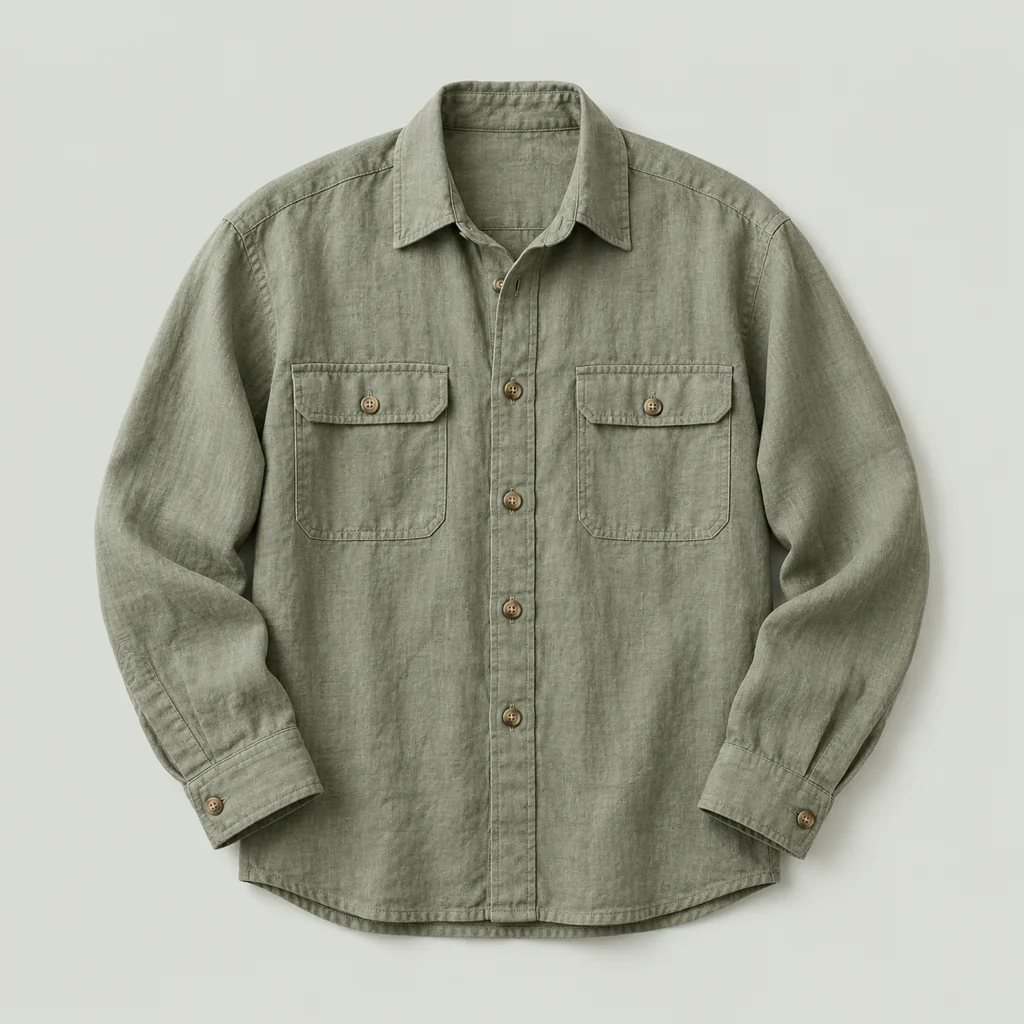
Linen Overshirt
$68.00
A relaxed overshirt in washed linen, with two chest pockets and natural horn buttons. Light enough for summer, sturdy enough to layer.
Quick View, taken apart. Hover a part to see what it does.
Browsing shouldn’t mean leaving the shop. Quick View opens any product right where it’s listed.
Photos, price, variations and Add to cart open over the page with a smooth animation, so shoppers decide without losing their place in your catalog.
Open it your way, then keep them shopping.







Modal, inline or full screen
Open products in a modal, below their row, or across the whole screen, whichever suits your theme.

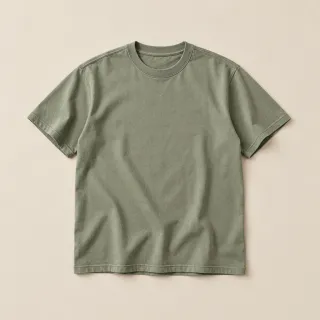
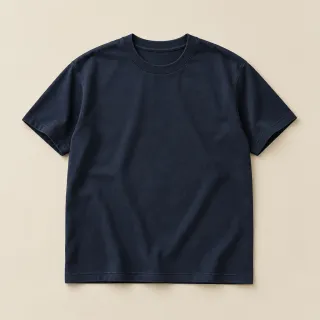
Variation images
Pick a color and the gallery switches to that variation’s photo.




Product browser
Arrows step to the next product without closing the quick view.
The button where you want it
Before, after, above or below Add to cart, or over the product on hover.
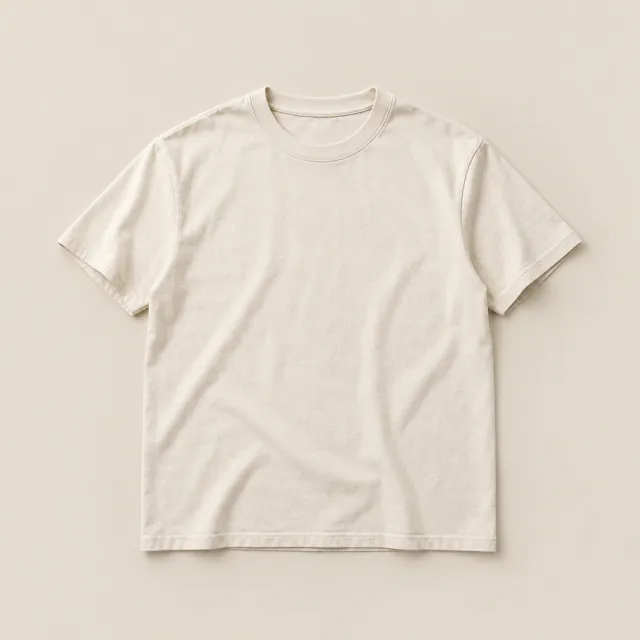
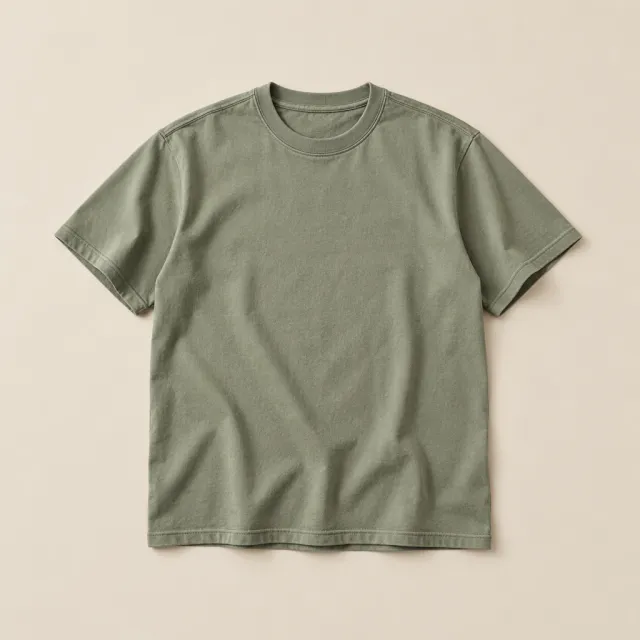
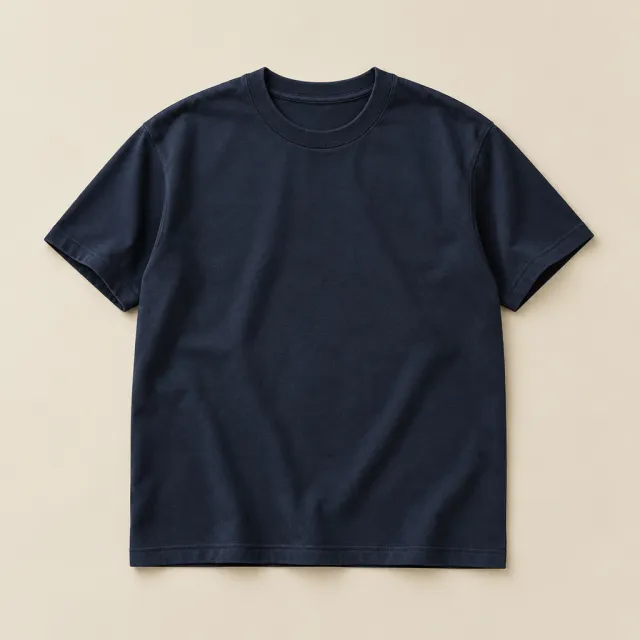


A real gallery
Slide or fade, autoplay, thumbnails, and a lightbox for the close-up.
Add to cart, and keep browsing.
Add to cart works over Ajax right inside the quick view, with a spinner and then a check. With Floating Cart installed, the product flies straight into the cart.
- Quantity and variation selection
- Optionally close the quick view once it’s added
- Works with Floating Cart and Variation Swatches
- Supports bundle and composite products
Style it live, without code.
Colors, fonts, icons, sizes and the overlay behind the modal all live in the WordPress Customizer, and you watch every change on your own store as you make it.
- Google Fonts, custom colors and icons
- Overlay color, box shadow and radius
- Slider size, arrows and thumbnails per device
- Button style, and which devices show it
Customizing · Quick View
Button color
Modal overlay
Modal radius

See it on a real store.
Everything it does
- Unobstructive Quick View
- Fast modal loading
- Fast ajax add to cart
- Smooth Animations
- Product Variations Support
- Responsive / Mobile Support
- Live Preview Customizer
- Change Modal Trigger Position - Before add to cart button<br>- Above add to cart button<br>- After add to cart button<br>- Below add to cart button<br>- Over product image on Hover<br>- Over product container on Hover<br>- Using a shortcode
- Quick Product Browser Navigation Previous / Next Navigation Arrows to quickly preview products
- Apply Google Fonts / Typography
- Apply Custom Icons
- Custom Colors / Backgrounds
- Select between 3 modal display types Default Morph, Inline or Full Screen
- Custom Dimensions
- Custom Modal Overlay Color
- Modal Background / Shadow / Radius
- Product Image Slider - 2 Animations (Fade / Slide)<br>- Autoplay feature<br>- Gray Scale Transition<br>- Enable Lightbox<br>- Custom Arrow Icons<br>- Thumbs Gallery Carousel
- Switch to Variation Image Automatically
- Support bundles and composite products
- Compatible with XT Woo Floating Cart
- Compatible With WooCommerce Additional Variation Images Plugin
No feature matches that. Ask us whether it can do it.
Kept current, release after release.
Every number here is read live from the release feed, so this sheet is never older than the plugin.
- Version
- 2.1.13
- Last updated
- Oct 22, 2026
- Tested up to
- WordPress 7.1
- Requires
- WordPress 4.6+
- PHP
- 5.4+
- First released
- Mar 2017
Pick a license. Change it any time.
Every Pro plan starts with a free trial, and every purchase has a 30-day money-back guarantee.
Save 35% vs. monthly
Save 38% vs. 5 years annually
Updates and support while your subscription is active.
A year of updates and support. If you don’t renew, the plugin keeps working; you just stop receiving updates and support.
Updates and support forever. One payment, not a subscription.
Store owners on Quick View.
4.8 out of 5 from 13 ratings
-
Great plugin, highly recommended
Does what it promises. Makes your shopping experience much faster and easier, not having to switch through webpages. Customer support is very responsive, I had a small issue earlier, and they fixed it with an update within a day. Now it feels super reliable. It's fast and it just works. The way it looks is highly customizable with the built-in…
Joost Joost de Haas -
attractive popup and great support
I like the popup and it’s flexibility. The customer support was excellent b/c they replied to all of my emails with real answers, not generic responses.
Eric Miami Photobooths -
Smooth and Slick!
I'm very happy with this plugin, even though it is currently in it's infancy, it is highly customize-able and I look forward to more features as it matures.
Anthony Bradford Majestic Quartz -
Perfect for my site,
Very very very useful, This is Great Plugin, have nice features
Wagner Antunes -
Super great support!
Super great support 5x5 stars :D They are amazing and the plugin for itself is 5 stars too. Thanks for all the help and super good service.
Björn Handy -
Great Plugin and 6 STAR Awesome Support
I just want to say, the plugin does exactly what it says it will. And we add it to all clients sites that are planning on using WooCommerce. If you do run into an issue over the past year I had to contact Support and to say they are helpful would be an understatement of the year. Their support is…
 Roy Randolph
Karthost
Roy Randolph
Karthost
-
Exactly what I needed!
A very intuitive quick view plugin with a great responsive interface too. Exactly what I was looking for my store! Thank you!
Earnie Rhyker -
Highly recommended WooCommerce Quick View Plugin!
Amazing WooCommerce Quick View plugin. Nice and smooth animations with flexible options. Team support is top notch! Keep up the good work!
Mike Celikbas -
Excellent plugin, very responsive developer
Woo Quick View is an excellent, very customisable and elegantly written plugin. The developer is very responsive – All issues we had were promptly and conclusively dealt with. All suggestions for further development were taken into consideration, I have only praise to offer.
G Bruzzo Rare Noise
Changelog
106 releases since 2017.
-
2.1.13
- update XT Framework 2.5.17, making the System Status IP and TLS lookups opt-in, updating Select2 to 4.1.0, SelectWoo to 1.0.10 and the alpha color picker to 3.0.4, removing the unused Xirki telemetry module, and hardening settings preview requests and saved settings values
- update Tested with WordPress 7.1 and WooCommerce 11.2
-
2.1.12
- update XT Framework 2.5.16, fixing the pricing page showing "/ year" for monthly plans, correcting the annual "Normally" price, adding annual and lifetime savings badges inside the billing cycle switcher, keeping the switcher on one row at any screen width, and limiting pricing page requests to the site's own admin-ajax endpoint
-
2.1.11
- update XT Framework 2.5.15, preventing the "Follow Us" widget from being injected twice in XT admin pages, restoring the Browse Plugins grid layout on modern WordPress, keeping the grid at three columns on very large screens, and updating the bundled Freemius SDK to v2.13.4
-
2.1.10
- update XT Framework 2.5.14, preventing first-request fatal errors and repeated upgrade redirects while switching to a newer embedded framework
-
2.1.9
- update Limited WordPress.org directory tags to the supported five-tag maximum
-
2.1.8
- update XT Framework 2.5.13, preserving generated Freemius pricing and Xirki vendor assets during synchronization
- support WordPress 7.0.1 and WooCommerce 10.9.4 compatibility
- security Hardened Quick View AJAX requests and restricted responses to published products and matching variations
-
2.1.7
- update Maintenance release
-
2.1.6
- fix Minor CSS fixed within the customizer panels
- update XT Framework update
-
2.1.5
- security Removed SVG upload support for security reasons. To enable SVG uploads, please use a plugin like "Safe SVG" https://wordpress.org/plugins/safe-svg/
- update XT Framework update
-
2.1.4
- update Freemius SDK update v2.9.0
- support Fixed deprecated code causing "Creation of dynamic property" log errors in PHP 8.2
-
2.1.3
- update Freemius SDK update v2.8.0
- fix Security Fix
-
2.1.2
- update Freemius SDK update v2.7.3
- support WordPress 6.6
- support WooCommerce 9.1
-
2.1.1
- update Freemius SDK update v2.6.2
- support WordPress 6.4
- fix Minor fixes
-
2.1.0
- update Added WooCommerce HPOS Support
-
2.0.0
- update Freemius SDK update v2.5.10
-
1.9.9
- new Added 3 new "Custom Info" sections to the Product Info template. When enabled, it allows you to add custom content using action hooks xt_wooqv_custom_product_info_1, xt_wooqv_custom_product_info_2, or xt_wooqv_custom_product_info_3. Reordering of the Custom Info settings is also possible. Documentation
- support Removed xt-observers-polyfill script, since the plugin does not support old browsers anymore.
- update XT Framework update
-
1.9.8
- fix Fix bug with Quick View Elementor Widget
-
1.9.7
- update XT Framework update
- update Freemius SDK update
-
1.9.6
- fix Freemius Security Fix
- update XT Framework update
-
1.9.5
- new Added option to display product "Additional Information" within the quick view.
- update XT Framework update
-
1.9.4
- support Better support for Avada theme and shop pages made with page builders
-
1.9.3
- support Better support for touch devices
- update XT Framework update
-
1.9.2
- fix Fix error in backend
- update XT Framework update
-
1.9.1
- update Modify plugin name to avoid trademark violation with WooCommerce
-
1.9.0
- fix Disable within new Widget Block Editor to avoid conflicts
-
1.8.9
- update XT Framework update
- fix Fix intermittent issue with quick view content loading.
-
1.8.8
- fix Fixed error when editing an Elementor page containing the Quick View trigger shortcode or Elementor Widget
- support Better support for WooCommerce Product Add-ons plugin: https://woocommerce.com/products/product-add-ons/
- support CodeCanyon version has been retired, and will no longer be maintained or updated. License migration required. More Info: https://xplodedthemes.com/codecanyon-license-migration/
-
1.8.7
- update XT Framework update
-
1.8.6
- fix Fixed issue with composite products
- fix Minor CSS fixes
-
1.8.5
- new Added Trigger Device Visibility Options. https://d.pr/i/hgDWfG
- fix Fix error: Cannot use object of type stdClass as array. Happens with some themes.
- update XT Framework update
-
1.8.4
- support Support "Booster for WooCommerce" plugin - When using the "Replace image with custom HTML on single product page" option to embed a video iframe. The video will now appear correctly within the quick view slider.
- fix Fixed javascript error when resetting a variation
- update Updated template: templates/parts/product-slider.php
-
1.8.3
- fix Fixed issue with quick view not opening from within Woo Floating Cart
- fix Moved inline quickview content from trigger attr to a script template for better dom clarity and performance
- fix Fixed conflicts with TranslatePress plugin
-
1.8.2
- fix Fixed issue with product description not being displayed
-
1.8.1
- fix Fixed conflict with Woo Variation Swatches
- fix Product loop order gets out of order after displaying the quick view trigger on a group or bundle product.
- support Show navigation for elementor triggers as well.
-
1.8.0
- fix Fixed issue with shortcodes. Same product being loaded.
- support Show navigation for shortcode triggers as well.
- new Product info items can now be re-ordered and each item can be enabled / disabled. https://d.pr/i/d9TsYp
-
1.7.9
- support Multisite - Network Level License Management
- update XT Framework update
-
1.7.8
- fix XT Framework update / fixes
-
1.7.8
- update XT Framework update
- fix Fixed issue with Over Product Image trigger on Divi Theme Product Carousels
-
1.7.7
- update XT Framework update
-
1.7.6
- fix Minor CSS Fixes
- update XT Framework update
- support Better theme support for over product image quick view triggers
-
1.7.4
- fix Minor CSS Fixes
- update XT Framework update
-
1.7.3
- support Fixed infinite loop issue with the Trigger Shortcode when placing the shortcode manually within the product loop template.
-
1.7.2
- support Added support for Loco Translate by adding a loco.xml bundle config file.
- update Updated translation file
-
1.7.1
- fix Minor CSS Fixes
- update XT Framework update
-
1.7.0
- fix Remove duplicated quick view trigger for variation product when Woo Variation Swatches is enabled on archives.
- update XT Framework update
-
1.6.9
- new Added option to select slider Thumb / Image sizes. By default, woocommerce_gallery_thumbnail & woocommerce_single will be used.
- fix Fixed issue with quick view modal not opening after opening the same product twice one some themes.
-
1.6.8
- fix Fix issue with touch events on mobile
-
1.6.7
- enhance Instant clicks on mobile. Replace all click events with touchstart on mobile which removes the extra 300ms delay.
- enhance Cache duplicated queries.
- support Support variation image switch in free version as well.
- update XT Framework update
-
1.6.6
- new Woo Add To Cart : On single product pages, make the scroll up to Added to cart notice optional!
- new Woo Add To Cart : Enable Disable Ajax add to cart on shop or single product pages
- new Woo Add To Cart : Added Redirect options (to cart, to checkout, to custom page) after add to cart.
-
1.6.5
- new Added new Woo Add To Cart section. Enable Ajax Add To Cart on single product page. Added custom loading spinners and confirmation checkmarks for the Add to cart button. These settings will now be shared between the XT Quick View, Woo Floating Cart & Woo Variation Swatches plugins.
-
1.6.4
- new XT Framework System Status will now show info about the active theme as well as XT Plugin templates that are overridden by the theme. Similar to woocommerce, it will now be easier to know which plugin templates are outdated.
-
1.6.3.2
- fix Minor CSS fixes
-
1.6.3
- fix Hide previous / next navigation arrows if no more products available to browse.
- new Added an Elementor Widget "XT Quick View" similar to the trigger shortcode. Add a quick view trigger anywhere on a page using Elementor.
-
1.6.2
- update Update Kirki Framework to v3.1.5
- fix Fixed issue with customizer fields being hidden on WP v5.5
-
1.6.1
- fix Fix conflict between XT Quick View and WooCommerce Show Single Variations
-
1.6.0
- fix Fix infinite loop issue with composite products after selecting options.
- new Morph image on variation select. Smoother than simply replacing the image to avoid flickering.
-
1.5.8
- fix Minor Fixes
- fix Refresh cart fragments after adding to cart on free version
-
1.5.7.1
- fix Minor Fixes
-
1.5.7
- new Added option to force showing add to cart button on shop archive page. Some themes do not show it by default, ex: Divi theme.
- fix Minor Fixes
-
1.5.6.1
- fix Minor Fixes
-
1.5.6
- new Pro Added new type option (Inline & Redirect), In inline mode, the quick view will be displayed below or above the product by automatically detecting the next row. It has the same animation options as the FullScreen type. The redirect mode is simply a redirect to the single product page.
- fix Minor Fixes
-
1.5.5
- fix Fix issue with quantity field not being shown for variable products
- support Better theme support for when the quick view trigger is positioned over product on hover
- support Better compatibility with XT Woo Variation Swatches plugin
-
1.5.4
- fix Fixed intermittent scrolling issue on mobile
- new Pro Better customizer options for modifying the padding & alignment of all product buttons including the quick view trigger and the add to cart button.
- new Pro Added 2 JS API functions: xt_wooqv_is_first() and xt_wooqv_is_last()
- support Pro Support Woo Floating Cart, the Quick View can now be triggered from within the cart suggested products.
-
1.5.2
- fix Fixed issue with media queries not being applied correctly in some cases
- fix Minor css fixes for mobile
- new Pro Added option to select another close icon on mobile devices
- new Pro Added option to resize the close icon on mobile devices
- new Pro Added positioning option to the navigation arrows
- enhance On mobile, the close icon will not be fixed anymore. It will scroll with the content avoiding collision with the slider arrows.
- enhance When using the default modal type, the quick view will now be fullscreen on mobile screens same as the fullscreen modal type for better performance.
- enhance Added a background behind the close button on mobile. The background color will inherit the modal background. This will fix the issue of opening the LightBox Gallery by mistake when trying to close the modal.
- update XT Framework update v1.1.3, better media queries handling
-
1.5.1
- fix Fixed issue causing product classes "first" and "last" not to be added correctly on the shop page
-
1.5.0
- fix Pro Fixed customizer issue not being able to apply a new color to the modal close button
- fix Pro Fixed issue with navigation arrows sometimes hidden even if more products are available to be shown
- new Pro Added new option to disable the initial Quick View open animation
- new Pro Added new Full Screen display option with multiple animation types
- new Pro Added new Vertical Slider option (Vertical slide animation / Vertical Thumbs Gallery).
- new Pro Replaced old PrettyPhoto LightBox with LightGallery. (Minimal or Advanced Gallery available)
- new Pro Added new option to change the slider image size (Cover / Contain) for each screen view (Desktop, Tablet, Mobile)
- new Pro Added new option to change the slider image Position (Center, Top, Bottom) for each screen view (Desktop, Tablet, Mobile)
- new Pro Added new option to change the number of visible slides at a time, for each screen view (Desktop, Tablet, Mobile)
- new Pro Added new option to change the number of visible gallery thumbnails at a time, for each screen view (Desktop, Tablet, Mobile)
- new Pro Added new option to set a background color behind slider image when the image size is set to "Contain".
- new Pro By default, automatically adjust text and icon colors based on the background (Dark / Light).
- new Added the option to adjust the Z-Index for the quick view modal
- new Some premium features are now available within the free version
- update Pro Removed the overlay spinner options. They are now useless since the quick view loads faster than the actual spinner.
- enhance Instant quick view loading. No more ajax calls except for loading a variation. All products quick view content will now be loaded once on page load and hidden until the quick view button is triggered.
-
1.4.3.4
- update XT Framework update / bug fixes
-
1.4.3.1
- enhance Trigger the native woocommerce "added_to_cart" event on the single product page. This will make other plugins detect the event and act on it.
-
1.4.3
- fix Fixed issue with plugin TextDomain not being loaded properly
- update Updated translation files
-
1.4.2
- update XT Framework update.
-
1.4.1
- fix Fix image slider arrows and nav thumbnails not showing.
- enhance Major backend changes. All XT Plugins will now appear under "XT Plugins" menu.
-
1.4.0
- fix Minor Fixes
-
1.3.9
- support Support WordPress v5.2.4
-
1.3.8
- update Pro Update customizer library to v3.0.45
- fix Pro Fixed issue with some customizer fields hidden on Flatsome theme and others.
-
1.3.7
- update Update Freemius SDK to v2.3.1
-
1.3.6
- support Better support for Woocommerce Product Addons plugin. Fix issue with hidden required fields.
- fix Fixed issue with shortcode trigger
- fix Fixed issue with navigation arrows showing even if no more products available
- enhance Allow using shortcode triggers as well as regular trigger positions
-
1.3.5
- update Pro Updated customizer library to V3.0.44
-
1.3.4
- fix Pro Customizer: Fixed navigation arrows options not being applied.
- fix Remove deprecated jQuery functions
-
1.3.3
- fix Pro Fixed add to cart "full width" option.
- fix Pro Minor customizer style output fixes
- fix Avoid duplicated triggers on some themes
- fix Pro Fixed customizer typography field issue with font variants.
- fix Avoid closing modal while still animating
- support Pro Standard fonts can now be selected or can inherit theme fonts without loading google fonts.
-
1.3.2
- fix Pro Fixed licensing issue
- fix Pro Fix issue when validating WooCommerce Extra Product Options plugin required fields
- fix Minor CSS Fixes
-
1.3.1
- update Pro Updated Customizer Framework
- support Better WPML Support
-
1.3.0
- fix Fixed conflict with WPML causing quick view not to load.
-
1.2.9
- fix Fixed bug with customizer default values
-
1.2.8
- update Update Freemius SDK to v2.2.4
- update Pro Update plugin updater to support php 7.3
- fix Fixed issue with quantity field not being able to update product quantities on mobile devices
- fix Fixed intermittent javascript error with some themes
-
1.2.7
- enhance Faster Ajax Requests
- fix Pro Fixed issue with Customizer Link field
-
1.2.6
- fix Fixed javascript error when selecting a variation
- fix Pro Fixed issue when trigger position is set to over image, the click event only works on the trigger icon and not on the container.
- new Pro Added public Javascript API Functions to open / close the quick view or browse to previous / next product while open. xt_wooqv_open(), xt_wooqv_close(), xt_wooqv_previous(), xt_wooqv_next()
-
1.2.5
- new Pro Make the auto generate short description feature optional within the customizer
- support Support bundles & composite products
- fix Force user to set a quantity if manually set to 0
-
1.2.4
- support Pro Added support for validating required fields from Product Addon plugin: https://wordpress.org/plugins/woocommerce-product-addon/
- fix Minor css fixes
-
1.2.3
- fix Fixed issue with free version popup not loading product info
- new Pro Added product info container padding option.
- new Pro Added margin bottom options to all product info sections
- new Pro Added option to show / hide "More Info" button
- new Automatically generate product short description from main description if empty
- update Update Freemius SDK to v2.2.3
-
1.2.2
- fix Fixed issue with license key migration
-
1.2.1
- fix Fixed license migration issue
-
1.2.0
- update Migrated Licensing / Billing System to Freemius
- fix Prefixed all plugin css classes and php function with "xt_" example: "wooqv" becomes "xt_wooqv", if you added custom css or have overridden plugin templates within your theme, make sure to add this prefix or else it will break
-
1.1.2
- support Better theme support for trigger position "Over Image & Over Container"
- fix Fixed issue with some customizer color fields not showing
- fix Fixed multiple ajax requests issue with variable products
- fix Minor cart refresh fixes
-
1.1.1
- fix Fix javascript error when selecting a variation
-
1.1.0
- fix Remove / Replace deprecated woocommerce functions
- fix Prevent variable product from being added to cart if no option has been selected
- fix Minor Customizer Fixes
-
1.0.9
- enhance More usable on ipads
- support Added new javascript event "xt_wooqv-product-loaded" on "document.body" triggered once the quick view is opened and product info loaded. Can be used by themes or plugins to perform custom actions
-
1.0.8
- new Added Previous / Next Navigation Arrows to quickly preview products on the page
- new Added options to select navigation arrow icon / size and color
- fix Removed greyscale animation if only one image is found within the slider
- support Better variations support
- support Switch to variation image whenever a variation is selected
- support Support the WooCommerce Additional Variation Images Plugin
-
1.0.7
- new Added an optional Trigger Overlay Color if the trigger position is set to Over Product or Over Image
- fix Fixed some trigger options where not appearing within the customizer
- support Better compatibility with Flatsome Theme
- support Better theme compatibility
-
1.0.6
- support Woo Variations Table Plugin
-
1.0.5
- support Wordpress v4.9 Customizer Support
-
1.0.4
- new Added trigger shortcode [xt_wooqv_trigger id="PRODUCT_ID"] that can be inserted within post content editor or anywhere within a theme template
- new Added new trigger position "Over Product Container" better theme compatibility compared to "Over Product Image"
- fix Fix compatibility issue with the X Theme
- support Better theme compatibility
-
1.0.3.1
- fix Fix multiple domain license check bug
-
1.0.3
- fix Fix issue with the More Info button on FireFox
-
1.0.2
- fix Fix issues with Flatsome WordPress Theme
- support Better theme compatibility
-
1.0.1
- fix Support WooCommerce 3.0.x+
- fix Minor CSS Fixes
-
1.0.0
- initial Initial Version
Put Quick View to work on your store.
Questions before you buy? Ask the team that builds it.